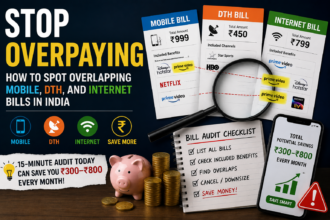

Quick answer: A subscription audit means going through every recurring payment leaving your bank account or card each month, checking whether you actually use each service, and cancelling the ones that no longer add value. For most Indian households juggling OTT platforms, cloud storage, gym memberships, and app subscriptions, this simple exercise can free up anywhere from a few hundred to a few thousand rupees every month, money that can instead go toward an SIP, an emergency fund, or simply breathing room in your budget.
Why Most People Are Bleeding Money Without Realising It
A few months ago, I sat down to check my credit card statement properly, not just glance at the total. What I found was almost embarrassing. I was paying for two music streaming apps because I’d forgotten I signed up for a trial on one and never cancelled it. I had a cloud storage plan for photos I’d already backed up on my phone’s default storage. And there was a meditation app subscription I hadn’t opened in four months.
None of these were huge amounts individually. Rs 149 here, Rs 219 there. But added up, they were quietly draining close to Rs 1,200 a month, over Rs 14,000 a year, for things I genuinely wasn’t using.
This is exactly how subscription creep works. Services are priced low enough that cancelling doesn’t feel urgent, but they add up fast because nobody sits down and counts them all together.
What Exactly Is a Subscription Audit?
A subscription audit is simply a structured review of every recurring charge you’re paying for, whether it’s monthly, quarterly, or yearly. It’s different from just “checking your bank statement” because the goal is specific:
- List every active subscription, no matter how small.
- Match each one against how often you actually use it.
- Decide, service by service, whether to keep, downgrade, or cancel it.
Think of it as spring cleaning for your finances. You’re not trying to eliminate every subscription, some genuinely make life better, but you’re making sure each one earns its place in your budget.
Step-by-Step: How to Conduct Your Own Subscription Audit
Step 1: Pull Up Three Months of Statements
Don’t rely on memory. Open your bank statements, credit card statements, and UPI autopay mandates for the last three months. Recurring charges usually show the same amount hitting on roughly the same date every month, which makes them easy to spot once you’re looking carefully.
Step 2: Check Your UPI Autopay and App Store Subscriptions Separately
In India, a lot of subscriptions get billed through UPI autopay mandates rather than cards, especially for smaller apps and platforms. Go into your UPI app (like Google Pay or PhonePe) and check the “Autopay” or “Mandates” section. Also check Google Play’s subscription list and Apple’s subscription settings if you’re on iOS, since many app-based subscriptions won’t show up clearly on your bank statement description.
Step 3: List Everything in One Place
Create a simple list, a notebook, a spreadsheet, or even just notes on your phone works fine. Write down:
- Name of the service
- Monthly or annual cost
- Billing date
- Last time you actually used it
This last column is the one that matters most.
Step 4: Categorise Each Subscription
Once your list is ready, sort each subscription into one of three buckets:
- Keep as is – you use it regularly and it’s worth the cost.
- Downgrade or switch plans – you use it, but you’re paying for features or storage you don’t need.
- Cancel – you haven’t used it in over a month, or you forgot you even had it.
Step 5: Cancel Properly, Not Just Uninstall
This is where a lot of people trip up. Deleting an app from your phone does not cancel the subscription behind it. You need to go into the actual billing settings, whether that’s Google Play, the App Store, the service’s own website, or your UPI autopay mandate list, and cancel it there.
Common Subscription Traps to Watch For
The Free Trial That Never Ended
Many services hook you with a 7-day or 30-day free trial that auto-converts into a paid plan unless you cancel manually. If you signed up for something “just to try it” more than a month ago and forgot about it, there’s a good chance it’s still quietly billing you.
The “Just In Case” Subscription
This is the fitness app you might use again, the design tool you might need for a future project, the news subscription you keep “for later.” If you haven’t opened it in 60 days, it’s probably safe to cancel and re-subscribe later if you genuinely need it.
Family Plan Confusion
A lot of households end up paying for the same OTT platform twice, once on a family plan someone else manages, and once on an individual plan nobody remembers signing up for separately. Worth checking with family members before assuming a subscription is solely yours.
Annual Renewals You Forgot About
Yearly subscriptions are sneaky because they only charge once a year, making them easy to forget between renewals. Set a calendar reminder a week before any annual subscription renews so you can decide fresh each year instead of letting it auto-renew by default.
What to Do With the Money You Save
Once you’ve trimmed your subscriptions, don’t let that freed-up money just dissolve back into everyday spending. A few practical options:
- Redirect it into a recurring SIP, even a small Rs 500-1000 monthly SIP compounds meaningfully over years.
- Add it to your emergency fund if that’s not fully built yet.
- Use it to clear high-interest debt, like credit card dues, faster.
The habit of noticing small leaks and redirecting them deliberately is often more valuable long-term than the actual rupee amount saved.
How Often Should You Repeat This?
A subscription audit isn’t a one-time job. New subscriptions creep in constantly, another OTT platform launches, a friend recommends an app, a festive sale tempts you into a “limited time” annual plan. Doing a quick review once every three to four months keeps things in check without becoming a chore.
A Quick Note on Financial Advice
This article is meant for general informational purposes around budgeting and expense management. It isn’t personalised financial advice. For decisions involving larger sums, investments, or debt restructuring, it’s worth speaking with a qualified financial advisor who understands your full financial picture.
FAQs
Q1: How do I find subscriptions I forgot I signed up for? Check three places: your bank/credit card statements for the last three months, your UPI autopay mandates section, and your Google Play or App Store subscription list. Between these three, almost every recurring charge will surface.
Q2: Is it bad to keep a subscription I rarely use but really enjoy when I do? Not necessarily. The goal isn’t to cancel everything, it’s to make sure the cost matches the value you’re actually getting. If a rarely-used subscription still brings you real enjoyment or benefit, keeping it can be a reasonable choice.
Q3: Will cancelling a subscription affect my credit score? No. Subscription cancellations don’t get reported to credit bureaus and have no impact on your credit score. It’s simply a change in your recurring expenses.
Q4: What’s the easiest way to track subscriptions going forward? A simple spreadsheet updated once a quarter works well for most people. List the service, cost, billing date, and renewal date, and review it briefly every few months rather than trying to track it constantly.
One Thing to Do Today
Don’t wait for a “free weekend” to do this properly. Right now, open your last credit card statement or your UPI autopay list, and cancel just one subscription you know you haven’t used in the past month. That single action takes less than five minutes and it’s the easiest way to actually start.